
Best GST Billing Software for Restaurants in India 2026
DiningHub Team · 9/14/2026
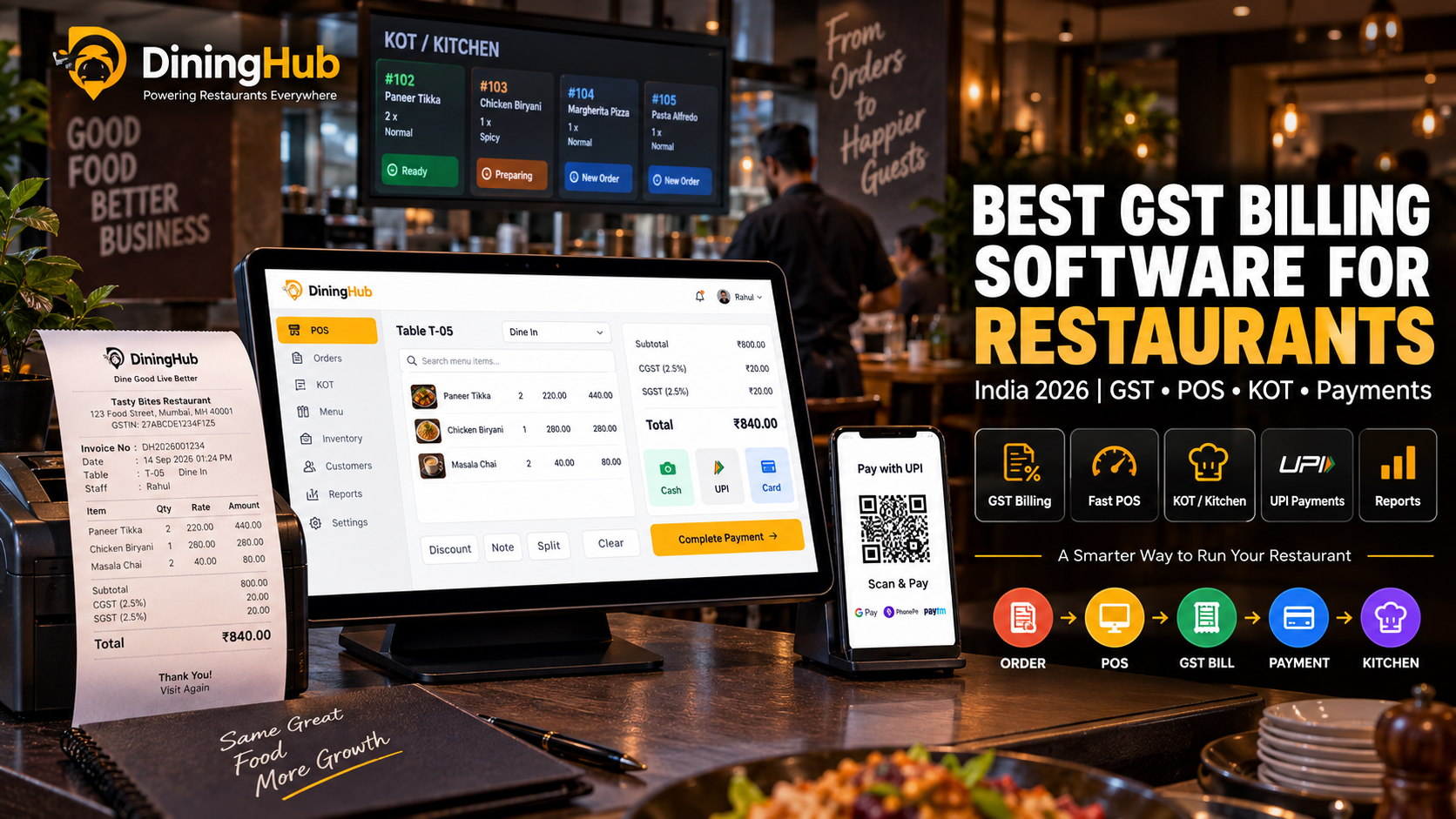
Choosing the right GST billing software is important for restaurants that want accurate invoices, automated tax calculations, organized sales records, and easier reporting. This guide explains what GST billing software for restaurants should offer, key features to look for, common billing challenges
Best GST Billing Software for Restaurants in India 2026
Restaurant billing is no longer just about generating a bill at the end of a customer's meal.
Modern restaurants need billing software that can handle GST, multiple payment methods, dine-in and takeaway orders, discounts, KOT, inventory, tables, online orders, and reports.
For restaurants in India, GST billing software can make billing more organized by automating tax calculations and generating structured invoices.
However, choosing the right software can be confusing.
There are many restaurant billing solutions available, ranging from basic billing applications to complete restaurant POS and management platforms.
In this guide, we'll explain what GST billing software is, which features restaurants should look for, how it works, and how to choose the right solution in 2026.
What Is GST Billing Software for Restaurants?
GST billing software for restaurants is a billing and POS solution designed to help restaurants generate invoices and manage applicable GST-related billing information.
Instead of manually calculating taxes for every transaction, restaurant billing software can calculate configured taxes automatically based on the restaurant's setup.
A restaurant may use GST billing software to manage:
- Dine-in billing
- Takeaway billing
- Delivery orders
- GST invoices
- Discounts
- Multiple payment methods
- KOT
- Table orders
- Sales reports
- Tax reports
- Customer information
When GST billing is integrated with a restaurant POS, the billing process becomes part of a larger operational workflow.
For example:
Order → POS → KOT → Kitchen → Bill → Payment → Report
Why Do Restaurants Need GST Billing Software?
Manual billing can become difficult when a restaurant handles a large number of orders every day.
Restaurant owners and staff may need to manage:
- Different food items
- Different tax configurations
- Discounts
- Dine-in orders
- Takeaway orders
- Delivery orders
- Multiple payment methods
- Refunds or adjustments
- Daily sales
- Tax-related records
A restaurant billing system can reduce repetitive calculations and help maintain consistent billing workflows.
The right software can also connect billing with inventory, kitchen operations, tables, customers, and reporting.
Key Features of the Best GST Billing Software for Restaurants
Not every billing application is designed specifically for restaurant operations.
When choosing GST billing software, look for features that support the complete restaurant workflow.
1. GST-Compliant Billing
The software should allow restaurants to configure and generate invoices according to their applicable GST setup.
It should provide appropriate invoice information such as:
- Restaurant business details
- GSTIN where applicable
- Invoice number
- Date
- Customer details where required
- Item details
- Applicable tax information
- Total amount
Restaurants should always configure tax settings according to their actual business and applicable regulations.
2. Automatic Tax Calculation
Manual tax calculations can increase the possibility of billing errors.
A restaurant POS can calculate configured taxes automatically when items are added to an order.
For example:
Food Items → Applicable Tax Configuration → Invoice Total
This can save staff time and make billing more consistent.
3. Dine-In Billing
Restaurant billing software should support dine-in orders.
A typical workflow is:
Table → Order → KOT → Kitchen → Bill → Payment
The billing system should make it easy for staff to identify the table and generate the final bill.
4. Takeaway and Delivery Billing
Restaurants don't only process dine-in orders.
The same POS should ideally support:
- Takeaway
- Delivery
- Direct online orders
- Other supported order channels
This allows restaurant staff to manage different order types through one system.
5. Multiple Payment Methods
Customers may pay using different methods.
Restaurant billing software can support payment options such as:
- UPI
- Credit cards
- Debit cards
- Cash
- Digital wallets
- Other supported payment methods
A multi-payment workflow makes checkout easier for both customers and staff.
6. KOT Integration
Billing software becomes more useful when it connects with the kitchen.
When a customer places an order, the system can send the order to the kitchen through KOT or a Kitchen Display System.
The workflow can look like:
POS → KOT → Kitchen → Preparing → Ready → Billing
This reduces the need for staff to manually communicate every order to the kitchen.
For restaurants interested in kitchen order workflows, see our guide on KOT software for restaurants.
7. Inventory Integration
Billing and inventory are closely connected.
When an item is sold, restaurant owners need to understand its impact on stock and consumption.
A connected system can help restaurants manage:
- Stock
- SKUs
- Purchases
- Vendors
- Stock movement
- Minimum-stock alerts
This is especially useful for restaurants that want to connect sales activity with inventory management.
8. Table Management
For dine-in restaurants, billing should work smoothly with table management.
A connected system can help staff identify:
- Available tables
- Occupied tables
- Orders by table
- Transferred tables
- Merged tables
This can make the ordering and billing process easier during busy periods.
9. Discount Management
Restaurants frequently offer:
- Item discounts
- Bill discounts
- Promotional offers
- Customer-specific offers
A good billing system should provide controlled discount functionality and appropriate permissions.
Restaurant owners should also be able to track discounts in reports.
10. Thermal Printing
Many restaurants still use thermal printers for customer invoices and kitchen orders.
Before selecting software, restaurants should check whether the system works with their required printing setup and hardware.
11. Offline Billing
Internet connectivity is not always perfect.
Restaurants should consider whether their POS supports offline operation when choosing billing software.
An offline-capable workflow can be particularly useful when internet connectivity is temporarily unavailable.
Restaurants should also understand exactly which features remain available during offline operation and how synchronization works afterward.
12. Sales and GST Reports
Billing software should not stop at generating invoices.
Restaurant owners also need useful reports to understand business performance.
Useful reports can include:
- Daily sales
- Monthly sales
- Tax-related sales information
- Payment method reports
- Order type reports
- Item sales
- Discounts
- Branch-wise sales
Good reporting helps restaurant owners make decisions using actual business data.
GST Billing Software vs Basic Billing Software
There is an important difference between basic billing software and a complete restaurant POS.
| FeatureBasic Billing SoftwareRestaurant POS | ||
| Invoice generation | Yes | Yes |
| GST billing | Depends on software | Yes, when supported/configured |
| Dine-in | Limited | Yes |
| Takeaway | Usually | Yes |
| KOT | Usually limited | Yes |
| Kitchen workflow | Limited | Yes |
| Inventory | Limited | Yes |
| Table management | Usually limited | Yes |
| QR ordering | Usually unavailable | Available in supported systems |
| Online orders | Limited | Available in supported systems |
| Reports | Basic | Advanced |
| Staff permissions | Limited | Available in supported systems |
| Multi-branch | Limited | Available in supported systems |
For a restaurant, choosing a complete POS can be more useful than choosing software that only generates GST invoices.
How to Choose the Best GST Billing Software for Your Restaurant
Before purchasing a system, consider the following factors.
1. Restaurant Type
Your requirements may differ depending on whether you operate:
- Fine dining
- Café
- QSR
- Cloud kitchen
- Food truck
- Hotel restaurant
- Multi-branch restaurant
Choose software based on your actual workflow.
2. Number of Orders
A small café with 30 orders per day may have different requirements from a busy QSR processing hundreds of orders.
Make sure the system can comfortably handle your expected order volume.
3. GST Requirements
Check whether the software supports the GST billing requirements relevant to your business.
Tax configuration should be reviewed carefully before going live.
4. POS and Kitchen Integration
Don't evaluate billing separately from kitchen operations.
A connected workflow can be much more efficient:
Order → POS → KOT/KDS → Kitchen → Bill → Payment
5. Inventory
If your restaurant has significant inventory requirements, choose software that can connect sales and stock operations.
6. Payment Options
Make sure your preferred payment methods are supported.
For Indian restaurants, UPI and card payments can be particularly important.
7. Reports
Look for reports that help you understand:
- Sales
- Taxes
- Payment methods
- Products
- Discounts
- Inventory
- Branch performance
8. Staff Permissions
A restaurant owner shouldn't necessarily give every employee access to every function.
Look for role-based permissions for:
- Admin
- Manager
- Cashier
- Kitchen staff
- Inventory staff
9. Pricing and Scalability
Don't only compare the monthly subscription price.
Also consider:
- Number of branches
- Number of users
- POS terminals
- Hardware
- Support
- Additional modules
- Setup requirements
Choose a solution that can grow with your restaurant.
Common GST Billing Problems in Restaurants
Restaurants can face several billing problems when using manual or disconnected systems.
Wrong Tax Configuration
Incorrect tax configuration can result in inaccurate billing.
Manual Calculation Errors
Manually calculating taxes for large numbers of bills increases repetitive work.
Inconsistent Invoice Information
Different employees may create invoices differently if there is no standardized system.
Missing Sales Information
Without organized reports, it can become difficult to understand total sales and tax-related information.
Separate Systems
If billing, inventory, and kitchen systems are completely separate, staff may need to enter the same information multiple times.
A connected restaurant POS can help reduce these operational problems.
GST Billing Software for Different Restaurant Types
GST Billing for Cafés
Cafés need fast billing, takeaway support, digital payments, and simple menu management.
GST Billing for QSRs
Quick-service restaurants typically need fast order processing, KOT/KDS, payments, and high-volume billing.
GST Billing for Cloud Kitchens
Cloud kitchens can benefit from online order management, POS integration, kitchen workflows, and reporting.
GST Billing for Fine Dining
Fine-dining restaurants may require table management, split bills, multiple payments, customer management, and detailed reporting.
GST Billing for Multi-Branch Restaurants
Restaurant chains need branch-level billing combined with centralized management and reporting.
DiningHub: GST Billing + Complete Restaurant Operations
DiningHub is designed as more than a basic billing application.
It combines restaurant billing with other operational tools, allowing restaurants to manage multiple activities from one platform.
DiningHub supports restaurant workflows including:
- POS Billing
- GST Billing
- KOT
- Kitchen Display
- Inventory
- Purchasing
- Table Management
- QR Ordering
- Online Orders
- CRM
- Loyalty
- Staff Attendance
- Expenses
- Reports
- Analytics
- Payments
- Multi-Branch Operations
This means restaurant owners can connect their billing process with other parts of restaurant operations.
For example:
Customer Order
↓
DiningHub POS
↓
KOT / Kitchen Display
↓
Kitchen Preparation
↓
GST Bill
↓
Payment
↓
Sales & Reports
Instead of using separate tools for every stage, restaurants can manage their core operations through one connected platform.
What Makes a Good Restaurant GST Billing System?
A good restaurant billing system should do more than calculate taxes.
It should make everyday restaurant operations easier.
The ideal solution should provide:
- Fast billing
- Accurate configured tax calculations
- Multiple payment options
- Dine-in and takeaway support
- KOT/KDS
- Inventory
- Tables
- Reports
- Staff permissions
- Online ordering
- QR ordering
- Multi-branch support where required
The right combination depends on the restaurant's size, workflow, and operational requirements.
Final Thoughts
GST billing is an important part of running a restaurant in India, but restaurant owners should avoid choosing software based only on invoice generation.
A modern restaurant needs billing connected with its broader operations.
The right GST billing software for restaurants can help streamline billing, payments, KOT, kitchen operations, inventory, tables, and reporting.
Before selecting a solution, evaluate its GST capabilities, restaurant-specific features, integrations, hardware requirements, pricing, scalability, and support.
For restaurants looking for an integrated solution, DiningHub combines GST billing with POS, KOT/Kitchen Display, inventory, QR ordering, table management, CRM, analytics, payments, and multi-branch operations.