Kitchen Display System (KDS) vs KOT Printer: Which One Does Your Restaurant Actually Need in 2026?
Manish · 9/26/2026
Every restaurant owner eventually hits the same crossroads: the kitchen printer keeps jamming during rush hour, tickets go missing between stations, and the chef is shouting over the noise trying to figure out which order came first.
Every restaurant owner eventually hits the same crossroads: the kitchen printer keeps jamming during rush hour, tickets go missing between stations, and the chef is shouting over the noise trying to figure out which order came first. That's usually the moment owners start asking whether it's time to move from a paper KOT printer to a full Kitchen Display System. Modern restaurant platforms like Dining Hub now let you run a KOT printer, a KDS, or both together from a single POS, so this isn't really a "which software should I buy" question anymore — it's a "which workflow fits my kitchen" question. This guide breaks down exactly how the two systems differ, when each one makes sense, and what to look for before you switch.
What Is a KOT (Kitchen Order Ticket) System?
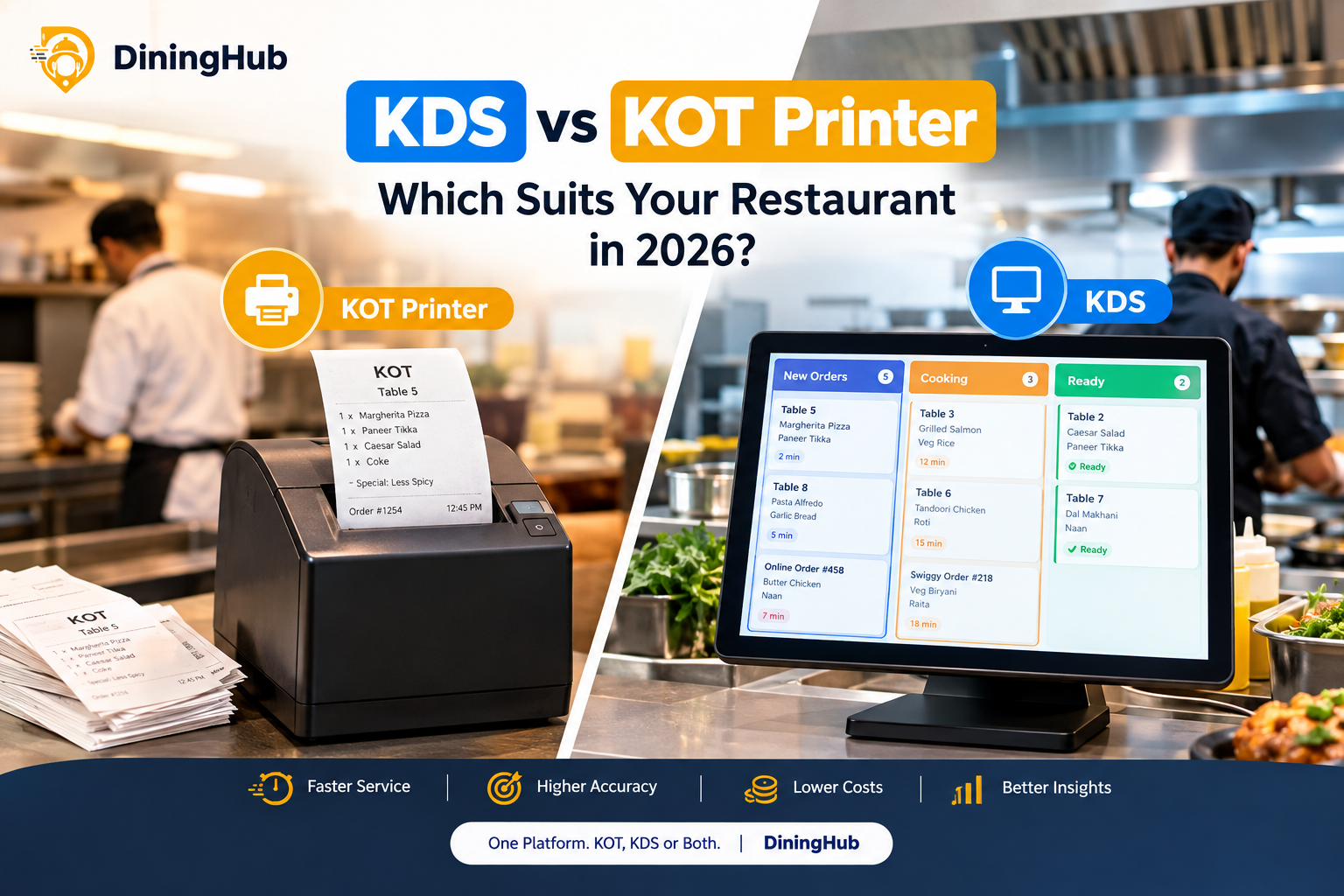
A KOT system is the classic setup most Indian restaurants have used for years. The moment a waiter or biller keys in an order on the POS, a slip prints out at the kitchen printer listing the items, table number, and any special instructions. The kitchen staff physically picks up the slip, cooks in the order it arrived, and crosses it off (or spikes it on a rod) once it's done.
It's simple, cheap to run, and every kitchen team already knows how to use it. But it also comes with real limitations once volume goes up: tickets can get lost or stuck together, there's no way to tell how long an order has been waiting, and coordinating multiple stations (grill, tandoor, dessert counter) usually means printing the same ticket multiple times or physically walking it around.
What Is a Kitchen Display System (KDS)?
A KDS replaces the paper slip with a screen mounted in the kitchen. Orders appear the instant they're placed — from the POS, a QR code table order, or an online delivery order — and are automatically routed to the right station. Each ticket is color-coded by how long it's been sitting, so the kitchen can instantly spot an order that's about to breach its target prep time. Once an item is ready, the chef taps to "bump" it off the screen instead of tearing up paper.
Because everything lives on one digital queue, a KDS also gives owners something a printer never could: real data. Average prep time per dish, busiest hours, which station is falling behind — all of it becomes visible without anyone manually tracking it.
KDS vs KOT: Quick Comparison
| Factor | KOT Printer | Kitchen Display System (KDS) |
| Setup cost | Low — just a thermal printer | Higher — needs a screen/tablet |
| Order visibility | One ticket at a time, physical | Full live queue, color-coded |
| Multi-station kitchens | Manual routing, duplicate tickets | Auto-routes to the right station |
| Online/QR orders | Needs manual re-entry or a second printer | Flows into the same screen automatically |
| Paper waste | Yes, continuous | None |
| Speed during peak hours | Slows down, tickets pile up | Stays consistent, nothing gets buried |
| Reporting/analytics | None | Prep-time and station-wise data |
| Best suited for | Small single-station kitchens, tight budgets | Multi-station kitchens, high order volume, delivery-heavy outlets |
Which One Does Your Restaurant Actually Need?
Go with a KOT printer if: you're running a small café or single-counter setup with low daily order volume, one or two people managing the entire kitchen, and you want to keep hardware costs to a minimum. For a low-ticket, low-complexity operation, a printer genuinely does the job.
Move to a KDS if: you're seeing regular rush-hour bottlenecks, you run more than one kitchen station, you take a meaningful share of orders through QR codes or delivery apps, or you're managing more than one outlet and want visibility into how each kitchen is performing. Cloud kitchens and multi-brand outlets almost always outgrow paper tickets fast, since every extra order channel means another printer to manage.
Many restaurants don't have to choose one extreme — a hybrid setup, where the front counter still has a backup printer but the kitchen runs primarily on screens, is becoming the norm for growing outlets in 2026.
How Dining Hub Makes This Decision Easier
Where most POS providers force you to pick a lane, Dining Hub is built so the KOT-to-KDS move doesn't mean switching software or re-training staff from scratch:
- One system, both modes — start with a simple KOT printer setup and switch on the Kitchen Display screen later from the same Dining Hub account, with no separate installation or new billing system.
- Every order channel in one queue — dine-in billing, QR table orders, and aggregator orders all land on the same KDS screen instead of needing separate printers for each source, which is where most basic KOT setups fall apart.
- Station-wise routing — Dining Hub can send drink orders to a bar screen and food orders to the kitchen screen automatically, cutting down the back-and-forth that paper tickets create in multi-station kitchens.
- KDS tied to live inventory — as items get bumped off the display, stock levels update automatically, so the kitchen isn't running on a screen that's disconnected from what's actually in stock.
- Multi-branch visibility — owners running more than one outlet can see kitchen speed and pending orders across branches from a single dashboard, rather than checking each location separately.
- Works even when the internet blinks — orders keep queuing locally and sync back the moment the connection is restored, so a spotty connection doesn't mean the kitchen goes dark.
Also read this blog : https://dininghub.in/blog/best-restaurant-pos-software-in-india-2026
Final Thoughts
At the end of the day, this isn't a "premium vs basic" choice — it's about matching your kitchen setup to how busy you actually are. A cosy single-counter café can run smoothly for years on a KOT printer, while a multi-station or delivery-heavy kitchen will feel the difference a KDS makes within the very first rush hour — fewer missed tickets, faster plates out, happier chefs.
The smartest move? Don't force yourself to bet on one system upfront. With a platform like Dining Hub, you can start simple with KOT printing today and flip on the full Kitchen Display System the moment your order volume demands it — same account, same menu, zero re-training. Your kitchen grows, your tech grows with it.
Not sure which setup fits your kitchen? Book a free demo with the Dining Hub team — they'll walk you through both KOT and KDS live, based on how your specific kitchen runs, so you make the switch only when it actually makes sense for your business.