Restaurant Inventory Management Software
DiningHub Team · 9/10/2026
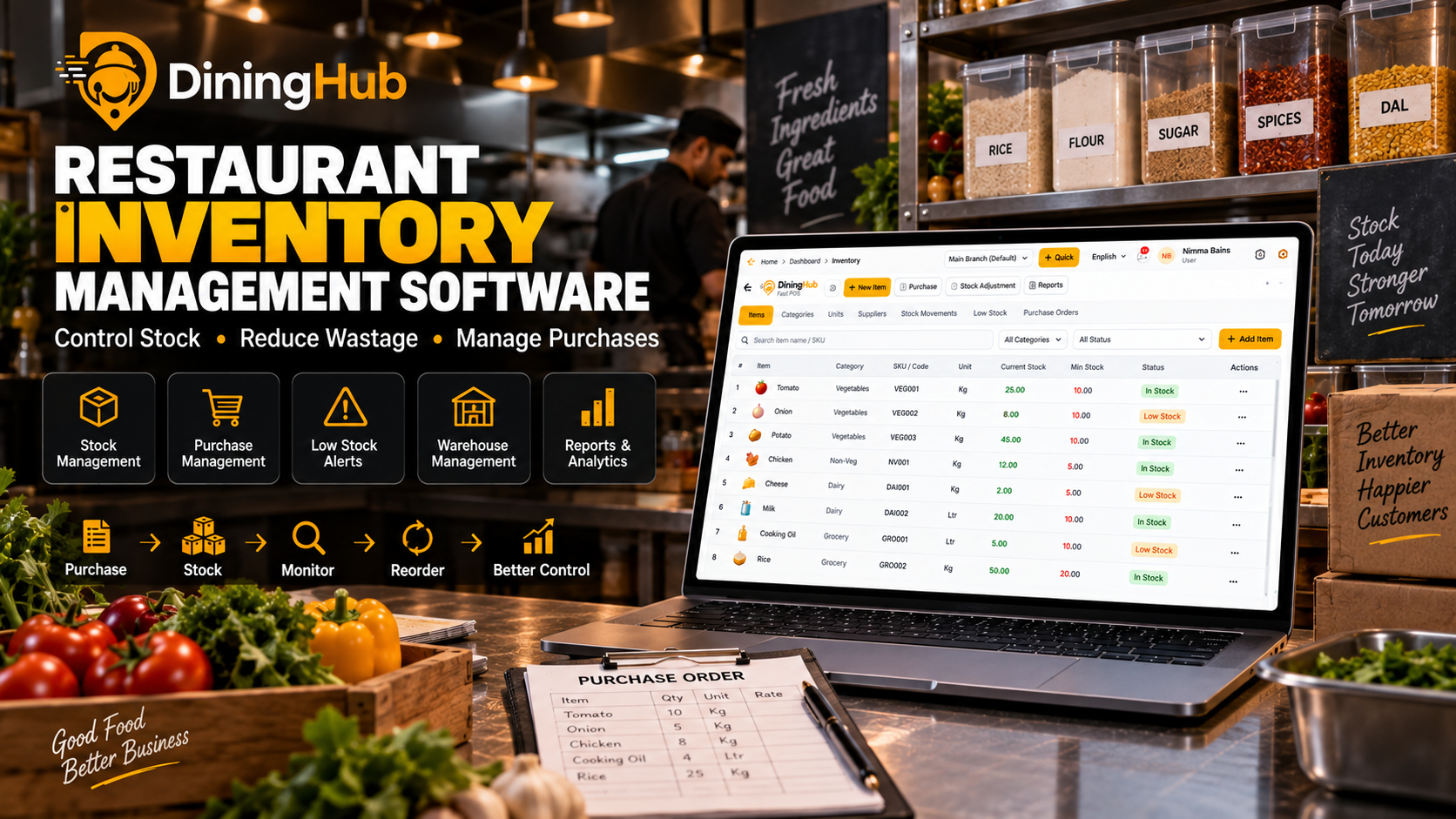
Managing restaurant inventory manually can lead to stock shortages, over-purchasing, wastage and unnecessary costs. Restaurant Inventory Management Software helps restaurants track stock, manage purchases, monitor inventory movement and identify low-stock items from one centralized system
Restaurant Inventory Management Software: The Complete Guide
Inventory is one of the most important parts of running a profitable restaurant.
Every day, restaurants purchase and consume ingredients such as vegetables, dairy products, spices, beverages, meat, grains and other supplies. If inventory isn't tracked properly, even small losses can become a significant expense over time.
Common restaurant inventory problems include:
- Running out of important ingredients
- Buying more stock than required
- Food and material wastage
- Manual stock-counting errors
- Difficulty tracking purchases
- Poor visibility into stock movement
- Unplanned emergency purchases
- Difficulty managing multiple warehouses or branches
This is where restaurant inventory management software can make a major difference.
Instead of depending on spreadsheets, notebooks or manual calculations, restaurant owners can use software to organize inventory and get a clearer view of stock levels and purchasing activity.
What Is Restaurant Inventory Management Software?
Restaurant inventory management software is a digital system that helps restaurants manage their stock and purchasing operations.
Depending on the software, restaurants can use it to:
- Create and manage inventory items
- Organize products into categories
- Track SKUs
- Monitor current stock
- Set minimum stock levels
- Identify low-stock products
- Track stock movements
- Manage warehouses
- Manage suppliers and purchases
- Review inventory reports
- Understand purchasing patterns
For a restaurant owner, the goal is simple:
Know what you have, know what you need, and avoid unnecessary stock loss.
Why Is Inventory Management Important for Restaurants?
Food and ingredient costs can have a significant impact on restaurant profitability.
Without proper inventory control, it becomes difficult to answer basic questions such as:
How much stock do we currently have?
Which items are running low?
What did we purchase this week?
Where did the stock go?
Which products need to be reordered?
When this information is maintained manually, employees may spend hours checking spreadsheets, registers or physical stock.
Restaurant inventory software brings this information into a centralized system.
Key Features of Restaurant Inventory Management Software
1. Real-Time Stock Tracking
A restaurant inventory system should give you a clear picture of your current stock.
Instead of checking different spreadsheets or registers, staff can view inventory items in one place.
For example:
| ItemCurrent StockMinimum StockStatus | |||
| Tomato | 25 KG | 10 KG | In Stock |
| Onion | 8 KG | 10 KG | Low Stock |
| Potato | 45 KG | 10 KG | In Stock |
| Milk | 20 L | 10 L | In Stock |
This makes it easier to identify items that require attention.
2. Low Stock Alerts
One of the most useful inventory features is the ability to define minimum stock levels.
When inventory falls below the required level, the restaurant team can identify the item as low stock and plan the next purchase.
For example:
Minimum stock for milk: 10 litres
Current stock: 6 litres
Status: Low Stock
Instead of discovering the shortage during restaurant service, the team can take action earlier.
DiningHub provides minimum-stock monitoring and low-stock visibility as part of its inventory management functionality.
3. Inventory Movement Tracking
Simply knowing the current stock isn't always enough.
Restaurant owners also need to understand how inventory changes.
Inventory movement tracking can help businesses review activities such as:
- Stock received
- Stock adjustments
- Stock transfers
- Stock usage
- Other inventory movements
This creates better visibility into where inventory is going.
DiningHub includes inventory movement logs so restaurants can review stock activity from their inventory system.
4. Purchase Management
Inventory and purchasing are closely connected.
When stock becomes low, restaurants need to purchase the required products from suppliers.
A good restaurant inventory system should make it easier to manage purchasing activity and maintain organized records.
With DiningHub, restaurants can manage inventory alongside purchasing operations, helping connect stock requirements with procurement.
5. Warehouse Management
Restaurants with larger operations may need more than one storage location.
For example:
- Main kitchen
- Dry storage
- Cold storage
- Beverage storage
- Additional warehouse
- Branch-level inventory
Restaurant inventory software can help organize stock across different warehouses.
DiningHub supports warehouse management, allowing restaurants to organize inventory more efficiently as their operations grow.
6. SKU Management
Restaurants can have hundreds or even thousands of inventory items.
Managing them without a structured system quickly becomes difficult.
SKU management allows businesses to organize inventory items using unique codes or identifiers.
This can make searching, tracking and reporting easier.
DiningHub supports SKU-based inventory organization.
7. Inventory Reports
Reports help restaurant owners understand what is happening with their stock.
Useful inventory reports can help answer questions such as:
- What items are currently in stock?
- Which items are low?
- What inventory movements happened?
- What purchases were made?
- Which warehouse contains specific stock?
Instead of relying entirely on manual calculations, restaurant owners can use centralized inventory data for better operational decisions.
How Restaurant Inventory Software Helps Reduce Wastage
Food wastage is not only an environmental concern — it can also directly affect restaurant costs.
Wastage can happen because of:
- Over-purchasing
- Poor stock rotation
- Expired products
- Incorrect stock records
- Overstocking
- Unplanned purchasing
Inventory management software doesn't automatically eliminate wastage, but it gives restaurant teams better visibility and control over stock.
For example, if a restaurant knows that a particular ingredient is already heavily stocked, purchasing decisions can be made accordingly.
The result can be better purchasing discipline and improved inventory control.
Manual Inventory vs Restaurant Inventory Software
| Manual InventoryRestaurant Inventory Software | |
| Paper registers | Centralized digital records |
| Manual calculations | System-based tracking |
| Difficult to identify low stock | Low-stock visibility |
| Separate purchase records | Organized purchasing |
| Difficult stock movement tracking | Inventory movement logs |
| Time-consuming reporting | Faster access to reports |
| Higher chance of manual errors | Structured inventory data |
| Difficult to scale | Better suited for growing operations |
The objective isn't simply to replace paper with software.
The real objective is to make inventory more visible, organized and easier to control.
How DiningHub Helps With Restaurant Inventory Management
DiningHub is designed as a complete restaurant operating platform rather than a standalone billing application.
Its inventory functionality works alongside other restaurant operations such as POS billing, purchasing, tables, kitchen operations, CRM and reporting.
With DiningHub, restaurants can manage:
Inventory
Organize inventory items, categories and SKUs.
Stock Levels
Monitor available stock and minimum-stock requirements.
Warehouses
Organize inventory across supported storage locations.
Stock Movements
Review inventory movement activity.
Purchasing
Manage purchasing activity alongside inventory.
Reports
Get better visibility into restaurant operations and inventory data.
This connected approach means restaurant owners can manage inventory as part of their overall restaurant workflow instead of maintaining completely separate systems.
Who Needs Restaurant Inventory Management Software?
Small Restaurants
Even a small restaurant can benefit from organized stock management.
If you're purchasing ingredients regularly, inventory visibility can help reduce unnecessary purchases and stock shortages.
Cafés
Cafés deal with milk, coffee, syrups, bakery products, beverages and other frequently used ingredients.
Inventory software can make tracking these products easier.
Cloud Kitchens
Cloud kitchens depend heavily on efficient purchasing and kitchen operations.
Inventory management can help them maintain better stock visibility.
QSRs
Quick-service restaurants often deal with high order volumes and frequent ingredient usage.
A structured inventory system can help keep stock organized.
Multi-Branch Restaurants
As restaurants expand to multiple locations, managing inventory manually becomes increasingly difficult.
A centralized restaurant management platform with multi-branch functionality can help businesses scale their operations more efficiently.
How to Choose the Best Restaurant Inventory Management Software
Before choosing an inventory system, consider the following:
1. Is stock tracking easy?
Your staff should be able to add, search and update inventory without unnecessary complexity.
2. Does it support minimum stock levels?
Low-stock visibility is important for avoiding unexpected shortages.
3. Can you track inventory movements?
Understanding stock movement provides better operational visibility.
4. Does it support purchasing?
Inventory and purchasing should work together wherever possible.
5. Can it manage warehouses?
This becomes important as your restaurant operation grows.
6. Does it integrate with your POS?
Ideally, inventory shouldn't exist as a completely separate system from restaurant billing and operations.
7. Can it scale with your restaurant?
If you plan to open additional locations, check whether the software supports multi-branch operations.
Benefits of Using Restaurant Inventory Software
A good inventory management system can help restaurants achieve:
Better Stock Visibility
Know what inventory is available and which items require attention.
Better Purchasing Decisions
Purchase according to actual inventory requirements instead of relying entirely on guesswork.
Reduced Manual Work
Spend less time maintaining spreadsheets and registers.
Better Control
Keep inventory information organized and easier to review.
Faster Decision Making
Access important stock information from a centralized system.
Scalability
Build a more structured inventory process as the restaurant grows.
Why DiningHub Can Be a Smart Choice
The biggest advantage of using an integrated restaurant platform is that inventory doesn't operate in isolation.
Your restaurant has multiple connected processes:
Order → Kitchen → Billing → Payment → Inventory → Reports
DiningHub brings these restaurant operations together within one platform.
Instead of using one system for billing, another for inventory and another for customer management, restaurants can manage multiple operational areas through DiningHub.
Final Verdict
Restaurant Inventory Management Software is no longer just an optional tool for large restaurant chains.
As restaurants grow, manually tracking stock, purchases and inventory movements becomes increasingly difficult.
A modern inventory system can provide better stock visibility, low-stock monitoring, purchasing organization, warehouse management and inventory reporting.
For restaurants looking for an integrated solution, DiningHub combines inventory management with POS billing, kitchen management, table management, QR ordering, CRM, reporting and other restaurant operations.
If your goal is to control stock, reduce unnecessary wastage and manage restaurant operations from one platform, DiningHub is worth considering.